MathJax

Showing posts with label cfe. Show all posts

Friday, September 19, 2014

Entropy by Another Alphabet -- Computing for Everyone

Previous: Entropy and Bits

All right, enough about passwords and entropy. This stuff is supposed to show up everywhere--how about another example?

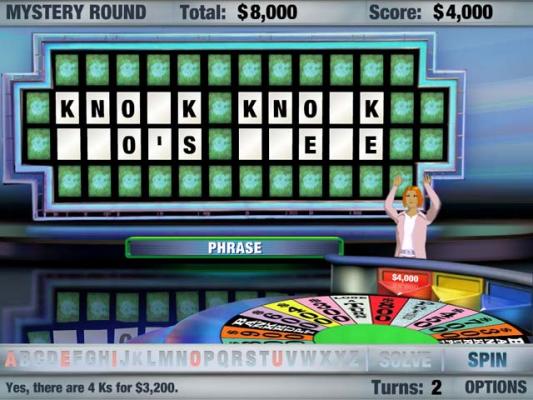
Here are some Wheel of Fortune Google Image results with upper bounds on the corresponding entropy, for fun.

40.9 bits of entropy--luckily, that's a strict upper bound. I'm sure this guy's got something up his sleeve....
Good luck!
Oh no, an upper bound of 30.7 bits of entropy!
Luckily, as someone who was in an English-speaking country as a 5-year-old, you have the extra information needed to solve the puzzle.
An upper bound of 3.8 bits, but as an English speaker you've solved the puzzle
Only one possibility--exactly zero bits!
The bounds are based on any remaining letter being equally viable for each spot. The calculation uses knowledge of Wheel of Fortune's rules but no knowledge of English. With knowledge that these solutions are comprehensible in English, the entropy is significantly less--otherwise we'd never fit a show into 22 minutes!

40.9 bits of entropy was an upper bound, remember ;-)
The entropy of each puzzle is way less than each captioned upper bound because not all guesses are equally plausible. My previous post mentioned that when we use bits to measure entropy, we mean bits that have a 50/50 chance of being either 0 or 1. This equal probability is crucial.

This last one was an amazing performance by the contestant, but clearly my entropy upper bound calculations don't reflect the actual difficulty of the puzzle. Why? Because 41 bits of entropy would mean there were 241 equally plausible solutions to the puzzle. This guy's good, but not quadrillions-of-guesses good.

The upper-bound any-of-17-letters-in-each-of-the-10-spaces is clearly too large a universe of possibilities. The contestant, knowing English, could work out that the first word was probably "new," especially since missing "t" and "o" means it isn't "net" or "neo."

This leaves us with the number of 4-letter English words that can be made from the remaining 17 letters, the number of 5-letter English words from those same letters, and the triplets that make sense in combination (unfortunately for the contestant, you could have a "new" pretty much anything--"new baby buggy" is as plausible as new any-other-possible-phrase).

His situation is bad, but it's bad on the order of thousands of possibilities rather than quadrillions. Since the category is "thing," one of those words should be a noun, which whittles down the possibilities even further, etc. And lucky for our hero, the solution was near the beginning of the alphabet. An amazing performance.

But still, the second example--30.7 bits of entropy as an upper bound. Surely there aren't a trillion equally-plausible solutions.

The same thing happens in computing--in guessing passwords, in back-solving logic puzzles, and in communication.

If any remaining letter were equally probable on a Wheel of Fortune board, the game couldn't exist. Not only would it be tremendously boring, but equally-probable letters mean that there's nothing you can do to guess the solution other than guessing every word. Thankfully, English doesn't work like that. This feature of the language is called redundancy. Redundancy is a measure of how many symbols, on average, can be missing from a message while still remaining comprehensible. The "on average" is an important qualifier--as an exercise, think of some humorous situations where changing one letter in a word or one word in a phrase yields comprehensible English with an intent far different from what was originally intended! From our new perspective we can look at Wheel of Fortune as a game where contestants press their luck to select letters that give them enough information to solve a puzzle before their opponents can.

Redundancy has implications for computing. You've probably heard of file compression, i.e. zipping files. This is the essence of what's happening when you zip a file: the compressor is measuring the statistics of what's in the file and coming up with an encoding scheme whereby any bit in the compressed file has about a 50/50 chance of being 0 or 1. And this is lossless compression, meaning when you unzip the compressed file on the other side, you get back exactly what you had before compression.

Lossless compression of text files contrasts with lossy compression used in pictures, audio, and video. In that case, the uncompressed form isn't recoverable from the compressed form. We lose information, hence JPEG, MP3, and H.264 are all lossy. The trick with lossy compression of media files is to do so in a way where humans don't notice or care about the loss of fidelity. When encoding with lossy compression, the compression software often exposes settings for what bitrate you'd like to encode at to determine the threshold of what to smooth over. The rabbit hole of lossy compression schemes is extremely deep, but it all comes back to entropy and making the bits that are transmitted over the internet matter as bits you consume on the other end.


Wednesday, September 17, 2014

Entropy and Bits - Computing for Everyone

Previous: Entropy and Passwords

In information theory, entropy is measured in bits. For each bit of entropy in your set of rules for generating passwords, the number of possible passwords doubles. The famous correct horse battery staple comic does a great job of illustrating these bits as boxes:

Each square represents one bit of information. You know bits already as "binary digits"--something that can be either 1 or 0. This is still the case in information theory, but an important concept when talking about bits and entropy is that there is a 50/50 probability for each bit. The "caps?", "order unknown", and "common substitution" bits are self-explanatory in this context. But why 11 bits for the "uncommon (non-gibberish) base word", 4 bits for "punctuation", or 3 for "numeral"?

To answer this, we model each choice as if it were a random string of 1s and 0s and ask how long that string would have to be to have about as many possibilities as the number of possibilities that have an equal chance of selection (you may remember this from your Algebra 2 class as the base-2 logarithm).

Example: Why is a numeral 3 bits?
Solution: There are 10 possibilities for a base-10 numeral. Three bits yields 23 = 8 possibilities, which is closer to 10 than 24 = 16 possibilities, so we'll round to 3 bits. The exact number of bits would be lg 10 ≈ 3.32 bits (I find it convenient to abbreviate log2n as lg n). I believe it was the correct artistic choice for Mr. Munroe not to depict .32 of a bit.

Using similar reasoning, we see the comic estimates 16-32 punctuation symbols and in the ballpark of 2048 common words.

There's a password generator based on this comic online. Taking a look at its UI and word list, we can calculate the entropy of the default settings for the web site at about 48 bits--4 bits higher than the 44 bits advertised by the comic (3.32 of those come from appending a digit by default, which wasn't in the comic).

Next: Entropy by Another Alphabet

Monday, September 15, 2014

Entropy and Passwords - Computing for Everyone

Which is a better password (neither are good): "password" or "ospawdr"?
Intuitively, the second is better, because it's harder to guess--even though they both use the same letters, and the second collection of letters is shorter (7 letters instead of 8).

This is the information theory concept of entropy[1]. Once you're familiar with entropy, you'll see it pop up everywhere in computing and everywhere in life. Intuitively, a set of rules that generates passwords that are harder to guess has higher entropy than a set of rules that generates passwords that are easier to guess.

If your set of rules for generating passwords has high entropy, that means it will take more attempts to guess your password. High entropy is crucial because an attacker might be able to make guesses very, very, very quickly. Thankfully, you can use rules that can outrun the guess rate of an attacker. This is why some web sites have obnoxious rules about including a mix of characters that makes your passwords hard to remember: the rules make them hard to guess as well.

So why is "ospawdr" better than "password"? Let's look at the rules that generated each password.
"password" is a word in the dictionary. Worse, it's a common default password. As a common default password, a manual attacker might try it within the first half-dozen attempts (and laugh hysterically when it works). But let's be generous and say the rules you used to arrive at the password "password" are just that it's a common English word. How many English words are there? Let's say there are a million. But "password" is a common English word--a clever attacker would surely try common words first, no? The second edition of the Oxford English Dictionary contains under 175,000 entries--most of which you probably haven't heard of. But rest assured, a computer can make 175,000 guesses within seconds. So with a generous estimate, we'll say we're guaranteed to guess "password" within the first 200,000 guesses.

Now let's look at "ospawdr". My rules for making this password were to choose an arbitrary 7 letters from the word "password". "password" has 7 different letters, so my rules generate 77 = 823,543 different passwords. Much better!

There's a problem, though: my "arbitrary" 7 letters still don't have great entropy! Why? Because it turns out that humans are bad at making random-looking choices--what looks random to a human isn't as "random" as it should be! For example, I chose these characters in my head while looking at the word, and it turns out that I chose 7 distinct letters in a 7-character password from a 7-character alphabet. The fraction of truly random passwords that share this characteristic is 7 • 6 • 5 • 4 • 3 • 2 • 1 = 7! = 720 out of a space of 823,543. My "arbitrary" rules picked a password that was actually in a subset of 0.8% of the space I thought I was using. What a disaster![2]

Next: Entropy and Bits

[1] There's a related physics version of entropy.
[2] For comparison, here are 10 passwords I generated with a Ruby script using the rules I thought I was using:

dddrdrr
wpswoow
oaprrrr
drpaawo
sraddsd
warsosr
psdasso
rdpdwao
ooapwaw
apsppwo
And the script:
alphabet = 'pasword'
10.times do
  password = ''
  7.times do
    password << alphabet.chars.sample
  end
  puts password
end

These script-generated passwords don't "look" "as random," but they're actually harder to guess than the original. This is why I recommend using a password manager and generator.

Here are 10 sample "pasword" permutations:
posadwr
owpdsar
prowads
podwasr
sdawpro
opadrsw
rowsdpa
wsaodpr
rswdaop
drsoapw

And the Ruby code:
alphabet = 'pasword'
10.times do
  puts alphabet.chars.shuffle.join
end

As an example of how the human mind is bad at picking out "random" data, here are the two next to each other.

Random characters (entropy ≈ 20 bits)Random permutation (entropy ≈ 10 bits)
dddrdrr
wpswoow
oaprrrr
drpaawo
sraddsd
warsosr
psdasso
rdpdwao
ooapwaw
apsppwo
  
posadwr
owpdsar
prowads
podwasr
sdawpro
opadrsw
rowsdpa
wsaodpr
rswdaop
drsoapw
  
For more on passwords, see

Wednesday, December 18, 2013

Computing for Everyone: Words to avoid in software, aspirational edition

The two hard things in software are cache invalidation and naming things. We haven't talked here yet about caches, yet alone their invalidation, but recent events triggered my desire to address a subtopic about naming.

As your future adjunct professor, I forbid you from using any of the following words in your names:
  • generic
  • simple
  • standard
  • reusable
  • extensible
  • pluginable
These words represent ideals your software should embody, but these words should never be part of your class names, variable names, namespace names, or overall system branding. Here's why.

Human psychic energy is limited.

Well-written code respects the limited psychic energy the maintainers can devote to understanding and making changes to it. Well-written code will minimize the effort required for someone new to a system to take any stanza of code from the system, understand the purpose of the stanza, and convince himself that the stanza correctly implements the intended purpose.

Names are among mankind's most significant allies in understanding software. Computers are happy to distinguish between variables named llllIlll and lllIllll, but humans will go insane dealing with such code in the long-term, have a huge ramp-up time understanding existing code bases written this way in the medium-term, and be much more likely to introduce errors while making changes vital to the mission of a system in the short-term.

Good names in software, then, refer to the problem domain they are addressing, rather than architectural goals. "simpleExtensibleField1" and "simpleExtensibleField2" as variable names are vastly inferior to "subtotal" and "tax".

The problem with the above list is that the extra words make the variables sound different to a computer, but add noise for a human. There's a temptation to brand large refactoring efforts as any of these words, but these refactoring efforts can end halfway through. Then another refactoring effort comes in on the half-refactored code base, sees their favorite word was taken and uses a different word from the list. While refactoring is supposed to make a code base easier to understand without changing its functionality, these sorts of names do the opposite. It would, in fact, be clearer to a human if these efforts had been branded in variable names with colors instead (not that you should do that, either). By way of example, it's much easier to remember if you're working with all GreenWhatchaMadoogies or all YellowWhatchaMadoogies rather than all GenericWhatchaMadoogies or all PluginableWhatchaMadoogies. And really, if the code is actually simple or generic, rather than just insisting via variable names that it is, the code would refer to instances of WhatchaMadoogies rather than either of the preceding. The "generic"/"simple" labels, having failed their mission, are reduced to brands.

Monday, August 19, 2013

Computing for Everyone 6: Conditional Execution

Wasn't that last post fun? I'm guessing for a lot of you the answer is "no." I'm sorry--my bad.

So here's the thing: the goal of this series is to allow people who aren't programmers to take full advantage of their computers and other programmable devices at home, school, and work by giving a light introduction to computing concepts. I think the last post went too deep to really serve that purpose. I'll try to steer clear of posts like that in the future. All right, enough metablogging.


Today's topic is conditional execution.

You've seen this before:
visitor:
for your output:

Or have you? I decided to give myself some special treatment this time. Pretend you're me. Just go and tell that box that your name is John and click again.

Neat, eh? So what's the difference?

All computer programming languages support conditional execution: if something is true, do X; otherwise, do Y. Here's what the new code looks like:

function greet (visitor) {
    var greeting;

    if (visitor === "John") {
        greeting = "Hello, " + visitor + ". Remember, authentication is not authorization!";
    } else {
        greeting = "Hello, " + visitor + "!";
    }

    return greeting;
}

Neat, huh? if and else are special instructions in JavaScript (and in most programming languages). The stuff inside the () following if is evaluated as a boolean expression. If the expression evaluates to true, the block (starts with {, ends with the next }) right after the if statement is executed. Otherwise (else), the block ({ to next }) immediately following the else statement is executed.

The statement this new program evaluates is
  visitor === "John"
. A === comparison is true when the values to the left and right are equal and of the same type (e.g. both are numbers or both are strings), so if visitor is set to "John", the comparison visitor === "John" evaluates to true. "John" === "John" would also be true, just a little silly to write (you could just write "true" without the double-quotes (though writing if(true) is pretty silly to write as well)). "John" === "You" is false, 1 === 1 is true, 1 === 2 is false, 1 === "1" is false because the triple-equals comparison operator we're using treats the number 1 as distinct from a string containing 1.

JavaScript has other comparison operators, mostly for numbers. You'll see these same symbols across a wide variety of modern programming languages (well most of these are the same in, C, C#, F#, Java, Ruby, Python, Perl, PHP, BASIC, at least).

Comparing a and b in JavaScriptTrue when...
  a === b
a equals b
  a !== b
a does not equal b
  a < b
a is less than b
  a > b
a is greater than b
  a <= b
a is less than or equal to b
  a >= b
a is greater than or equal to b

Comparison operations can be combined using logical operators && (and), || (or) and ! (not) from last time:

function coverCharge (sex, itIsLadiesNight) {
    var doorPrice;
    if (sex === "F" && itIsLadiesNight) {
      doorPrice = 0;
    } else {
      doorPrice = 10;
    }
    return doorPrice;
}

So women get in free on ladies' night, otherwise it's $10 for everybody.
coverCharge ("M", true) returns 10.
coverCharge ("F", false) returns 10.
coverCharge ("F", true) returns 0.

In addition to if and else, there is "else if". This is how your describe a multi-tined fork in the road for the progress of your program instead.

function sign(birthMonth, birthDay) {
    var sign = "Oops, I guess I missed one. Sorry about that.";
    if (birthMonth === 3 && birthDay > 20  
            || birthMonth === 4 && birthDay <= 20) {
        sign = "Aries";
    } else if (birthMonth === 4 && birthDay > 20 
            || birthMonth === 5 && birthDay <= 20) {
        sign = "Taurus";
    } else if (birthMonth === 5 && birthDay > 20  
            || birthMonth === 6 && birthDay <= 20) {
        sign = "Gemini";
    // ...more of the same for 8 other signs...
    } else if (birthMonth === 2 && birthDay > 20  
            || birthMonth === 3 && birthDay <= 20) {
        sign = "Pisces";
    }
    return sign;
}

else ifs can be chained off of an if indefinitely, but an if must start the chain, and no else ifs may appear after the final else (the final else may be omitted, as above).

Exercise:
Pretend you're a robot. Imagine you have the data you need to make decisions about what to do as conveniently-named variables, and you have conveniently-named statements that describe what you can do. Can you use a chain of if/else if/else statements to describe what to do when you're bored? Describe a series of if/elses that will make your robot version of yourself behave as close to how you would behave as possible.

Bonus:
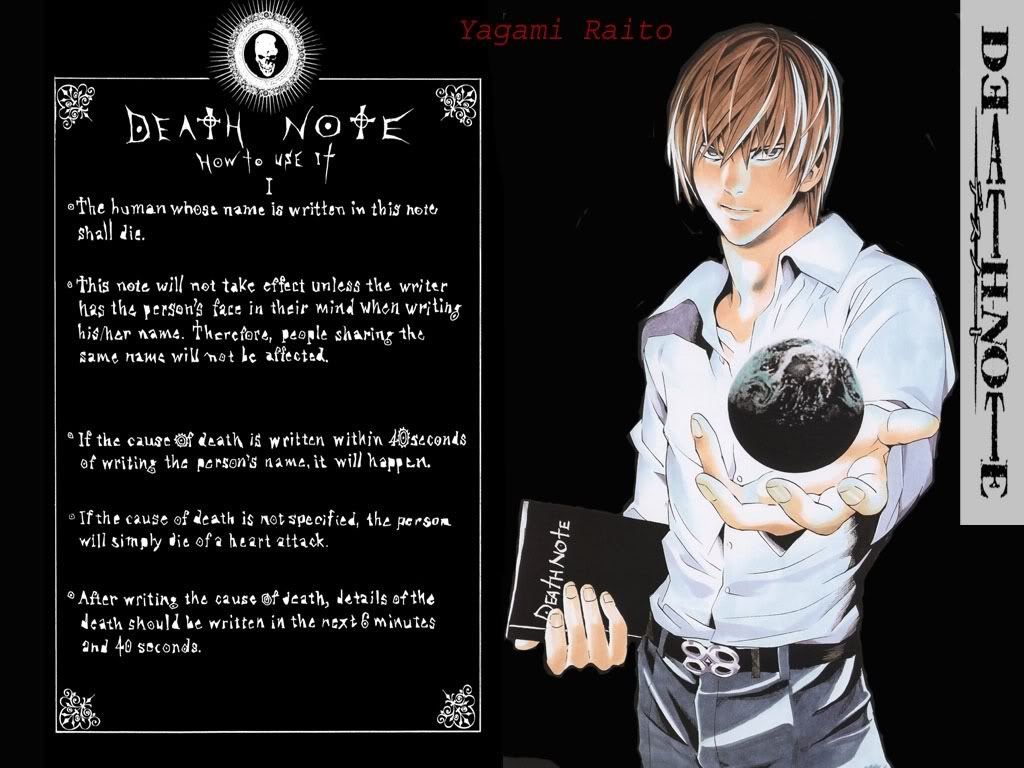
Death Note is an awesome anime show and manga. How could you express the rules for the Death Note in JavaScript so that your program can compute an outcome from use of the note? What are your inputs and outputs?

I do not often recommend anime shows, but when I do, it's always Death Note.

Wednesday, August 7, 2013

Computing for Everyone 5: Truth and Logic

Computer programming begets philosophizing. You break down complex tasks into parts simple enough for a calculator to digest. You represent real-world concepts as data in a machine. You build towers with your mind (and since the mind has its limits on how much information it can construct and logically process at once, remember to go easy on yourself).

Today we'll discuss basic logic. We'll talk about how you can combine statements that are true or false via a few different logical operators and evaluate the combination is true or false.

This logical discussion lacks a certain degree of subtlety: we assume we have perfect access to knowledge establishing statements as true or false; we're not taking into account a range of uncertainty about a statement or the risks of being wrong. Often these statements are the results of comparisons: 5 > 10 is false; 50 > 10 is true.

Boolean variables are variables that can have only one of two values: true or false. The adjective "boolean" comes from the last name of a 19th-century mathematician; there isn't any deeper meaning buried in the etymology. There are three basic logical operators: \(\land\) (and), \(\lor\) (or), and \(\lnot\) (not).

\(\land\) ("and") evaluates to true if its left and right sides are both true. \(\lor\) ("or" evaluates to true if either its left side or its right side evaluates to true. \(\lnot\) negates the logical value of what follows: if the value is true, \(\lnot\) makes it evaluate to false and vice-versa. In summary,

Logical expressionReads as...Evaluates to true only when...Written in JavaScript (and many programming languages) as...
\(p \land q\)"p and q"p is true and q is true
  p && q
\(p \lor q\)"p or q"either p is true or q is true (or both are true)
  p || q
\(\lnot p\)"not p"p is false
  !p

Truth tables are helpful charts of what a logical expression evaluates to for every variable involved. Here is what the truth tables for and (\(\land\)) , or (\(\lor\)) , and not (\(\lnot\)) look like (0 = false, 1 = true):

\(p\)\(q\)\(p \land q\)\(p \lor q\)\(\lnot p\)
00001
01011
10010
11110

Okay, this might need a touch more explanation. Let's read the second-to-last row as an example. This row tells us, from left to right, that when \(p\) is true and \(q\) is false, \(p\) and \(q\) (\(p \land q\)) is false, \(p\) or \(q\) (\(p \lor q\)) is true, and not p (\(\lnot p\)) is false. The other rows can be read the same way.

Note that because this chart has two variables (\(p\) and \(q\)), each of which can take on either of two values (true or false), there are \(2^2 = 4\) rows in our truth table.

Exercise:
Every new variable in a boolean expression doubles the number of rows in our truth table, so our table above with two variables has four rows.

For each row in our truth table, the expression we examine can either evaluate to true or false (2 distinct values). This means that for an expression with \(n\) different variables, our truth table has \(2^n\) rows which can be true or false giving \(2^\left(2^n\right)\) boolean expressions which are different from each other in terms of the set of outputs given for all sets of inputs.

The boolean operators \(\land\), \(\lor\), and \(\lnot\) are all that is needed to make any of these other expressions. For example, if we wanted to fill in a truth table whose outputs looked like
\(p\)\(q\)???
001
011
100
111


we could make this happen by replacing ??? with \(\lnot p \lor q\). See if you can fill up the entire two-variable truth table using only \(\land\), \(\lor\), and \(\lnot\) (with parentheses, if it makes life easier). The truth tables we've seen above are filled in below. Hint: there's one more entry given to you from today's Bonus. 


\(p\)\(q\)0\(p \land q\)???\(p\)???\(q\)???\(p \lor q\)????????????\(\lnot p\)\(\lnot p \lor q\)???1
000000000011111111
010000111100001111
100011001100110011
110101010101010101

The 0000 and 1111 columns are known as "contradictions" and "tautologies," respectively. The 1001 column is often read "p if and only if q" (abbreviated as "p iff q" (two f's in iff: "p if q" corresponds to column 1101)).


Bonus:
When we evaluate expressions in basic arithmetic, there is an order of operations. We evaluate exponentiation before multiplication, which we evaluate before addition. We can also change the order of operations by using parentheses, so
\[3 \times 4^2 + 2 = 48 + 2 = 50\], but
\[(3 \times 4)^2 + 2 = 144 + 2 = 146\]

To save us from always showing parentheses, logical operators have an order of precedence as well. Just like our arithmetic operators, from highest to lowest precedence, are exponentiation, multiplication, and addition, the order of operations for the logical operations we have seen, from highest to lowest, is negation (\(\lnot\)), then logical conjunction (the official name for "and," \(\land\)), then logical disjunction (the official name for "or," \(\lor\)).

This means we can actually remove the extra parentheses from the expression \((p \land (\lnot q)) \lor ((\lnot p) \land q)\) and it means the exact same thing. In fact, this function is actually kind of interesting. Let's take a look at its truth table:

\(p\)\(q\)\(p \land \lnot q \lor \lnot p \land q\)
000
011
101
110

This expression evaluates to true when either p or q or true, but not both. This expression is known as an "exclusive or" (\lor meaning "inclusive or") or XOR and comes with its own fancy symbol as well: \(\oplus\). This expression could be written as \(p \oplus q\). It's very convenient for us to have this symbol, since having it allows us to write
\[(p \oplus q) \oplus r\]
rather than
\[\lnot p \land \lnot q \land r \lor \lnot p \land q \land \lnot r \lor p \land \lnot q \land \lnot r \lor p \land q \land r\]
by analogy to the above, or, equivalently,
\[\lnot (p \lor q) \land r \lor \lnot (p \lor r) \land q \lor p \land \lnot (q \lor r) \lor p \land q \land r\]
by writing it the way we think about the concept of an "exclusive or." In fact, it turns out that like addition and multiplication, the exclusive or operation is also associative, so we can even drop the parentheses: \(p \oplus q \oplus r\)

I'm dizzy, too. Thank God for \(\oplus\) in times like these.

Here is the truth table for \(p \oplus q \oplus r\):
\(p\)\(q\)\(r\)\(p \oplus q \oplus r\)
0000
0011
0101
0110
1001
1010
1100
1111

There's no actual bonus exercise; you're just a trooper for getting through the extra material. Honestly, I tend to get a little carried away when I start using math symbols in my blog. Here's a brainteaser as a reward:

Is the following statement true or false?
"This statement is false."

Monday, August 5, 2013

Computing for Everyone 4: Clarity

Last time we looked at some basic JavaScript code to start learning how to read and write source code in general. Before continuing, I'd like to show you something about writing code.

Here's that first bit of JavaScript I wrote for you:
function greet (visitor) {
  var greeting = "Hello, " + visitor + "!";
  return greeting;
}

Armed with your basic knowledge of how JavaScript works, it's pretty easy to tell what this code is trying to do.

What if I wrote it this way?
function g (v) {
  var h = "Hello, " + v + "!";
  return h;
}
Functions g and greet behave identically, but notice how greet names what my function does much more descriptively than does g, and visitor and greeting describes the data I'm storing in my variables much better than v and h. If the two functions behave identically, why did I choose to write the longer version? Because when you write software, you aren't only writing the software in a way the computer can understand it; you're writing it in a way that you can understand it.

Even when writing your code, you will spend most of your time trying to read and understand what's there. Writing software is a process of building with your mind. It's a process of learning, understanding, and describing in detail. Here are two more ways I could have written the function:
function doWhateverThisFunctionDoesWhoKnowsAnyway (santaClaus) {
  var hoHoHo = "Hello, " + santaClaus + "!";
  return hoHoHo;
}
These kitschy names obscure what the code is trying to do.

function xxxxxxxxxx (xxxxxxxxxxx) {
  var xxxxxxxxxxxxx = "Hello, " + xxxxxxxxxxx + "!";
  return xxxxxxxxxxxxx;
}
The different identifiers differ only in the number of x characters in their names. Oh, one more thing about JavaScript: statements are separated by curly braces ({}) and ; characters--we don't actually need any of those line breaks or most of those spaces. This is legal JavaScript:
function xxxxxxxxxx(xxxxxxxxxxx){var xxxxxxxxxxxxx="Hello, "+xxxxxxxxxxx+"!";return xxxxxxxxxxxxx;}

It's not enough to write programs that do what you want the first time: you have to avoid going crazy during the process. Your programs should not only do what you want when the computer reads them, but they should be understandable in intent and mechanism when a human reads them.You will thank yourself when you want to add something new to your program later and when you have to track down a mistake in your code.

Programming languages will let you freely choose names for your functions and variables. Your variable names should describe what they represent; your function names should describe what your functions do. Like so much else in life, clarity is your friend.

Exercise:
Go on a ~20-minute Wikipedia binge rooted at the article on the programming language named brainfuck. Make sure you hit the article on Turing tar-pits along the way. Also, there are contests for writing unintelligible code. To each his or her own.

Bonus:
If your life depended on it, how would you label your goblets to avoid confusion like that encountered by Danny Kaye in this scene from The Court Jester?

Quotes:

"Everything [in Digitopolis] is called exactly what it is. The triangles are called triangles, the circles are called circles, and even the same numbers have the same name. Why, can you imagine what would happen if we named all the twos Henry or George or Robert or John or lots of other things? You'd have to say Robert plus John equals four, and if the four's name were Albert, things would be hopeless." - The Phantom Tollbooth

"Everything should be as simple as possible, and no simpler." - Albert Einstein

"There are two ways of constructing a software design: One way is to make it so simple that there are obviously no deficiencies, and the other way is to make it so complicated that there are no obvious deficiencies." - 1980 Turing Award laureate Tony Hoare

Thursday, August 1, 2013

Computing for Everyone 3: Expressions and Variables

Last time in Computing for Everyone, we discussed the nature of computing at a high level--quickly following a detailed set of simple instructions (a program) to compute output from input. Today we'll start focusing on specific ways to construct the "sentences" that make up these instructions. We're going to start learning how to program. We begin with expressions in JavaScript.


Aside: Why JavaScript? All you need to get started with JavaScript is a text editor and a web browser. I want you to get hooked.


Here is some of the simplest JavaScript you can write:
function greet (visitor) {
  var greeting = "Hello, " + visitor + "!";
  return greeting;
}
Wait, we're missing a means of input and output! Let's hand-wave them into existence for the moment. Here's your input:
Type some text--this will become "visitor" above:
...and for your output:


What's going on here? The computer is executing the JavaScript function above named greet which takes a single input named visitor. Each line ending with a ; between the { and the } is a JavaScript statement, consisting of one or more JavaScript expressions. Linguistically, you can think of statements like sentences and expressions like phrases.

The concept of an expression in computing is pretty much the same as the concept of an expression in arithmetic. Expressions are either values or ways of combining nearby values to get a single value. 3 + 7 is an expression that evaluates to 10. 3 + 7 is also a valid JavaScript expression and evaluates to 10 in JavaScript as well as first grade. Between two numeric values, + is the "addition operator," which evaluates to the sum of the expressions to the left and to the right. For completeness/pedantry, we could note that 3 is an expression that evaluates to 3 and 7 is an expression that evaluates to 7.

Computers don't just manipulate numbers: they manipulate text. A textual value in a computer program is called a string. In JavaScript, string data is text surrounded by 'single' or "double" quotes. Strings can be combined ("concatenated") using the + operator thusly: "Hello, " + "Studmuffin" becomes "Hello, Studmuffin""3" + "7" evaluates to "37", the same answer you might get from a 6-year-old boy on a sugar high. Between two strings, + is interpreted as a "string concatenation operator," joining the left and right strings into a single string. From this you can see that "Hello, " + visitor + "!" evaluates to a sort of "mini Mad Libs" based on the value of the variable visitor.

Programming languages offer more variety in operators than addition and string concatenation, of course. This post isn't meant to give you an exhaustive list of expressions in JavaScript but to introduce the idea of expression evaluation in programming languages. You can (and should) find a more detailed list of JavaScript operators here.

Computer programs keep track of values through variables. You can think of variables like the memory function of your calculator from school. Simpler calculators would let you store a single value; more advanced calculators might let you store many different values.

There are two variables in our little script: visitor and greetingvisitor holds the value of the first text box at the moment the "here" button is clicked (right-click this page and "view source" if you're curious how). greeting is a variable created by our program to store what will become the program's output. The statement return greeting; indicates that the value stored in greeting is the output of our greet function (output which I have hooked up to our second text box). A JavaScript expression consisting only of a variable's name evaluates to the value stored in that variable. You store the result of an expression to a variable by using JavaScript's assignment operator, =. var greeting = "Hello, " + visitor + "!"; stores the result of evaluating the expression right of the = sign to the variable greeting.

Exercise:
Not Photoshopped.
Microsoft has sold software with some complicated names, e.g. Windows Vista Home Premium or Office 2010 Starter. David Finley has written a cheeky bit of JavaScript to generate new Microsoft product names that you can find here.

Visit the link and click "Get Product Name" a few times to see a few different randomly-generated fake (but plausible!) 2006-era Microsoft product names appear in bold next to "Get Product Name."


Right below the link is the script source (between the <script> and </script> tags). Try to read through the code and figure out how it's making the fake product names. Here's that list of JavaScript operators again. That will help with understanding the += operator. Line 23 of Finley's name generator is the HTML that creates a link that causes the instructions in the function getProductName() to be executed when clicked. This page should help clear up some confusion about what the pfx, prd, trm, typ, and sfx variables are and how the function named pick works. How many unique product names can the generator suggest?

Save a copy of the Microsoft Product Name Generator web page as HTML to your computer. By editing the script in a text editor (it starts around line 204--use your text editor's "find" feature to search for "var pfx"), saving changes, and refreshing the view of your local copy in your web browser, add some new product names. They can be whatever you want. Have fun! Remember it's easy to save a backup copy of your file before attempting any particularly ambitious changes.

Bonus:
In Monty Python and the Holy Grail, the ferocity of the French taunting took King Arthur completely by surprise. Based on the movie's two scenes of French taunting, see if you can work out a reusable structure for computing new French insults. Once you have that worked out, try to make a French Taunter by reusing ideas (and possibly code) from the Microsoft Product Name Generator.

Be quick about it, before I make your bottom leak through your underpants, you unfortunate former parent of a salty illegitimate baby seal!


Wednesday, July 31, 2013

Computing for Everyone 2: Sequential Execution

Last time we covered the centrality of experimentation in computing. The exercise reinforced something you've already experienced with computers: input and output. You may have made some changes that led to some bizarre behavior in the web browser, and that's okay: it's all part of experimenting. When you aren't surprised by the results any more, you've gone from experimenting to building. Building brings home the bacon; experimenting makes us better builders.

Anyway, now that we've started experimenting and have an intuitive feel for input and output, let's start exploring the space between input and output. Let's start talking about computing itself.

We begin with a trip into the world of wacky anthropomorphisms. Let's say you're a chess player. You know you need to be really smart to play chess well. On the road to becoming a better chess player, you'll learn things about the game that will help you teach other people to play chess well, strengthen your logical reasoning skills, and grow yourself as a competitor.

Now consider the following: You can buy software that will turn your computer into a machine that can destroy you at chess for $7 USD. This means the computer is quite brilliant and intelligent, right? Perhaps the computer could teach us how to play, and maybe installing Fritz has increased the computer's ability to think logically?

As it turns out, Fritz's real strength is its ability to select extremely strong chess moves for a given position. Your computer's ability to think logically is actually unchanged by installing Fritz. The features of Fritz that give amateur chess lessons aren't significantly affected by improvements to Fritz's ability to play the game.

Computers...aren't actually very smart. If your computer isn't very smart, how can $7 software make your computer defeat every human you know at chess?

For a little more than $7, your computer can take on the best human players in the world.
Computers aren't smart, but they are lightning-fast and uncompromisingly systematic. Fritz can select better chess moves than almost any human because its software lists instructions for how to list legal chess moves based on a position and how to test the viability of different moves by evaluating the "if-I-do-this-then-he'll-do-that" chain of reasoning. Modern computers running Fritz can follow these instructions--to the letter--at an incomprehensible rate of hundreds of millions (if not billions) of instructions per second.

This execution of instructions in the pursuit of an optimal or best-effort decision is the "computing" to which this series refers. Programming a computer is the act of writing instructions, in order, that will compute the desired output for any given input.

When your program runs, the computer executes each instruction in order as fast as it can. No more, no less. Ever. Other devices may assist users of a program with input and output (e.g. a digital camera will turn light hitting a sensor into a form your phone can understand as input for its camera app), but computing is about that space between the input and output, where fast execution of specific instructions allows us to make machines do what machines have never done in human history.

Exercise:

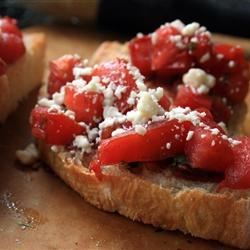
  1. Open a cookbook or browse for an enticing recipe online. Pick a recipe that has between 3 and 5 numbered steps. All this blogging is making me hungry--I could really go for some bruschetta right now. 
    Mmm...bruschetta....
  2. Imagine you have an untrained but literate, obedient, efficient, and self-disciplined child to help you prepare dinner. Your child will do exactly what he is told in the order instructed, but, unfortunately, nothing else. In addition to moving about the kitchen, your child can follow instructions like "if this is true, then take this action; otherwise, take this other action" and "go back to step 2." Now look at the recipe you selected. Is there anything missing from the recipe that glosses over some pretty major details if this is all your child was using to prepare the dish? Imagine how you would have to augment the recipe's instructions to avoid starvation. We'll call the result an "augmented recipe."
  3. Let's say you could teach your child 10 kitchen-specific skills (boiling, chopping, etc.). Which skills would simplify future augmented recipes for the largest variety of dishes?
  4. What are the inputs and outputs to your child?
Extra credit:
  • How could you instruct your child to pay your bills?
  • If you're mathematically inclined, how could you instruct a very patient child to apply Euler's method to trace out a curve specified by a differential equation?
Bonus:
In modern times, we have the bumper-sticker sized phrase "Garbage in, garbage out" (sometimes "GIGO") to express that computers deal with the data we input, not the data we would have liked to input. While this is sometimes frustrating, it is also logically inevitable after brief reflection on the nature of computing as we have discussed it.

Tuesday, July 30, 2013

Computing for Everyone 1: Experiment

Nothing will teach you about computing faster than self-directed experimentation. Experiment confidently. You will not break your computer.


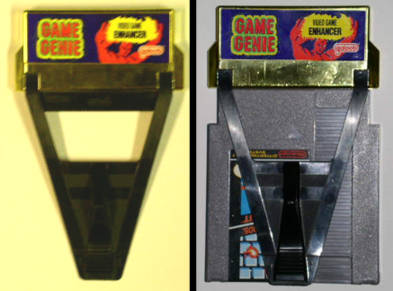
I had a Game Genie growing up. Game Genie gave you three "wishes" to change how your NES games worked by entering 8-character codes from a guide book. Infinite lives, invulnerability, and infinite ammo were popular wishes. You could also skip levels or just make bizarre things happen.

Game Genie: Natural Video Game Enhancement
The Game Genie also came with a book that would tell you how you could tweak the codes they provided for different games to write your own. If there was a code for a game that would let your character start with 5 lives instead of 3, they had tables so you could tweak that code for 7 or 9 lives instead.

I used this table on Super Mario Bros. 3 to tweak a starting world code. SMB3 had 8 "worlds," and Game Genie would send you to any of them. I had to see what world 9 was like, and Game Genie showed me. It was a bizarre, but made a delightful experiment. Notably, my NES was never in danger of exploding.

You will not destroy your computer by experimenting: and low-risk, self-directed experimentation is how you will learn the fastest.

Exercise:
Save this blog post to your computer's hard drive as HTML. Open the .html file in a text editor (e.g. Notepad if you're a Windows user). What you see there should match what you see if you right-clicked this page and selected "View page source" in your web browser.

Open your locally saved copy of this .html file in your web browser: you can drag the file on top of your Chrome/Firefox/Internet Explorer icon or use File -> Open... in your web browser's menu to find your local copy. You'll know you have the right copy of this article open if your browser's address bar starts with "file://" instead of "http://" or "www.".

You are now looking at two views of this web page: one in your browser, and one in your text editor. You can now experiment by making and saving changes to the .html file and refreshing your browser (F5 or Ctrl+R in Windows, Cmd+R on a Mac). Some things to try:
  • Easy: Change some text, save, refresh your browser, look at what happens
  • Exploratory: Find the HTML image tags. HTML tags are the things surrounded by angle brackets (< and >). The image tags look something like '<img src="blah blah blah" />') in your text editor. Change one of the images to a picture of a cat by manipulating the "blah blah blah" part. Here's a nice picture you can use.
  • More exploration: Change other parts of the page, add effects, look at hyperlinks on the page by skimming through w3schools free HTML tutorials (formatting, links and images should be pretty instructive). As a bonus, w3schools has a "try it yourself" functionality to help you quickly experiment.
Extra credit:

Start exploring the files on your hard drive. Look at files related to your operating system: C:\WINDOWS if you're a PC user or /System if you're a Mac user. You definitely don't want to change these files directly without studying them first, but exploring these files can teach you a lot about working with your computer.


Bonus:

Monday, July 29, 2013

Computing for Everyone 0: Yes, Everyone!

Welcome to the Computing for Everyone series! Which everyone? Every everyone--that means you!

The ENIAC was the size of a blue whale and took up about as much space as a volleyball court.


We have arrived in a world of information at our fingertips and ubiquitous computing, and we're only just beginning to grasp what that means as a population. Think of the first electronic computers filling rooms and buildings. Now think of how so many of us have computers millions of times more powerful in our pockets.

My Galaxy SIII fits in my pocket, including the case


What is the nature of computing power? How are we using it? How could we be using it?

Here is a short list of what advances in computing have enabled as of 2013:

  • On-demand entertainment
  • New forms of entertainment
  • Almost-free publishing
  • Almost-free, almost-effortless research
  • Efficiently navigate unfamiliar cities
  • Almost-effortless group outing coordination
  • Convenient, fast, and secure financial and government transactions
  • An explosion of consumer choice
  • An unprecedented reach for businesses with niche markets
  • Ads that are actually for things you might want sometimes

Each of these advances is only possible because of the harnessing of computing power. This is what has been pre-packaged for mass consumption. But computing is a general power that can be adapted much more closely to our own needs.

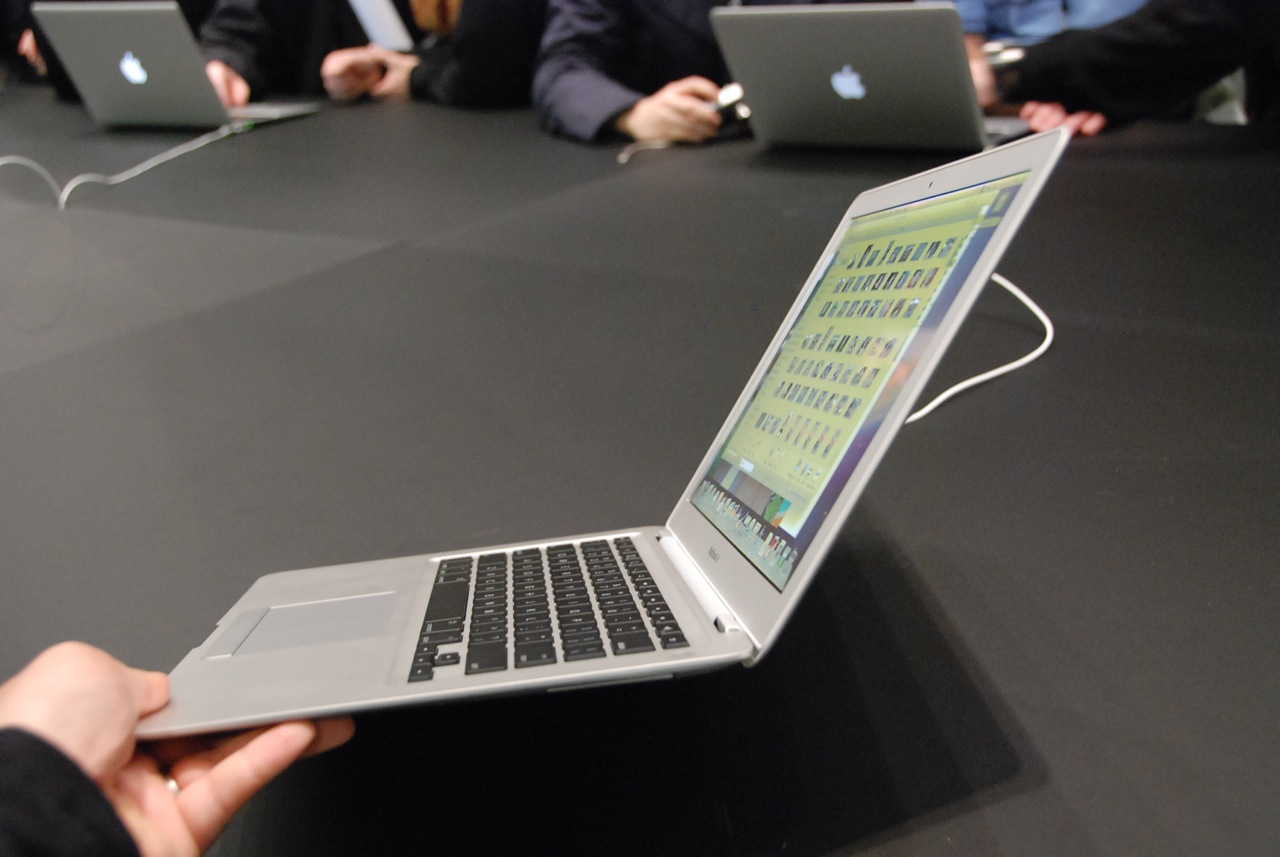
The MacBook Air runs all day on battery power.


Computing isn't something you need to wait for others to do on your behalf; computing is something you can personally use to save time, reduce risks, spend less mental energy on trivia, and do things which were not possible or feasible before computing power became cheap and ubiquitous.

Enough warm-up. Enjoy the series.

Exercise:
Each bullet point above describes a computing-enabled change in terms of its positive effects. What are the new challenges introduced by each change? 

Example: "On-demand entertainment means there's no pressure to schedule leisure time around TV broadcasting schedules, but it also means that there is less social bonding on the basis of new episodes of popular TV shows. This presents the challenge of bonding with acquaintances through other means."

Extra credit:
What's a repetitive part of your life you could automate away to save time? What are some things you would do or do more often if you could find a way to speed up smaller parts of getting these things done?