MathJax

Tuesday, July 30, 2013

Computing for Everyone 1: Experiment

Nothing will teach you about computing faster than self-directed experimentation. Experiment confidently. You will not break your computer.


I had a Game Genie growing up. Game Genie gave you three "wishes" to change how your NES games worked by entering 8-character codes from a guide book. Infinite lives, invulnerability, and infinite ammo were popular wishes. You could also skip levels or just make bizarre things happen.
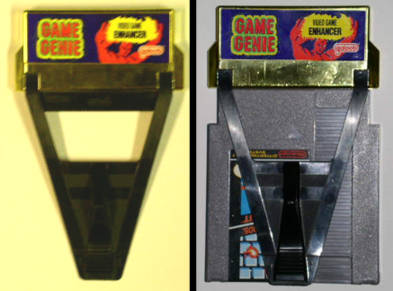
Game Genie: Natural Video Game Enhancement
The Game Genie also came with a book that would tell you how you could tweak the codes they provided for different games to write your own. If there was a code for a game that would let your character start with 5 lives instead of 3, they had tables so you could tweak that code for 7 or 9 lives instead.

I used this table on Super Mario Bros. 3 to tweak a starting world code. SMB3 had 8 "worlds," and Game Genie would send you to any of them. I had to see what world 9 was like, and Game Genie showed me. It was a bizarre, but made a delightful experiment. Notably, my NES was never in danger of exploding.

You will not destroy your computer by experimenting: and low-risk, self-directed experimentation is how you will learn the fastest.

Exercise:
Save this blog post to your computer's hard drive as HTML. Open the .html file in a text editor (e.g. Notepad if you're a Windows user). What you see there should match what you see if you right-clicked this page and selected "View page source" in your web browser.

Open your locally saved copy of this .html file in your web browser: you can drag the file on top of your Chrome/Firefox/Internet Explorer icon or use File -> Open... in your web browser's menu to find your local copy. You'll know you have the right copy of this article open if your browser's address bar starts with "file://" instead of "http://" or "www.".

You are now looking at two views of this web page: one in your browser, and one in your text editor. You can now experiment by making and saving changes to the .html file and refreshing your browser (F5 or Ctrl+R in Windows, Cmd+R on a Mac). Some things to try:
  • Easy: Change some text, save, refresh your browser, look at what happens
  • Exploratory: Find the HTML image tags. HTML tags are the things surrounded by angle brackets (< and >). The image tags look something like '<img src="blah blah blah" />') in your text editor. Change one of the images to a picture of a cat by manipulating the "blah blah blah" part. Here's a nice picture you can use.
  • More exploration: Change other parts of the page, add effects, look at hyperlinks on the page by skimming through w3schools free HTML tutorials (formatting, links and images should be pretty instructive). As a bonus, w3schools has a "try it yourself" functionality to help you quickly experiment.
Extra credit:

Start exploring the files on your hard drive. Look at files related to your operating system: C:\WINDOWS if you're a PC user or /System if you're a Mac user. You definitely don't want to change these files directly without studying them first, but exploring these files can teach you a lot about working with your computer.


Bonus:

Monday, July 29, 2013

Computing for Everyone 0: Yes, Everyone!

Welcome to the Computing for Everyone series! Which everyone? Every everyone--that means you!

The ENIAC was the size of a blue whale and took up about as much space as a volleyball court.


We have arrived in a world of information at our fingertips and ubiquitous computing, and we're only just beginning to grasp what that means as a population. Think of the first electronic computers filling rooms and buildings. Now think of how so many of us have computers millions of times more powerful in our pockets.

My Galaxy SIII fits in my pocket, including the case


What is the nature of computing power? How are we using it? How could we be using it?

Here is a short list of what advances in computing have enabled as of 2013:

  • On-demand entertainment
  • New forms of entertainment
  • Almost-free publishing
  • Almost-free, almost-effortless research
  • Efficiently navigate unfamiliar cities
  • Almost-effortless group outing coordination
  • Convenient, fast, and secure financial and government transactions
  • An explosion of consumer choice
  • An unprecedented reach for businesses with niche markets
  • Ads that are actually for things you might want sometimes

Each of these advances is only possible because of the harnessing of computing power. This is what has been pre-packaged for mass consumption. But computing is a general power that can be adapted much more closely to our own needs.

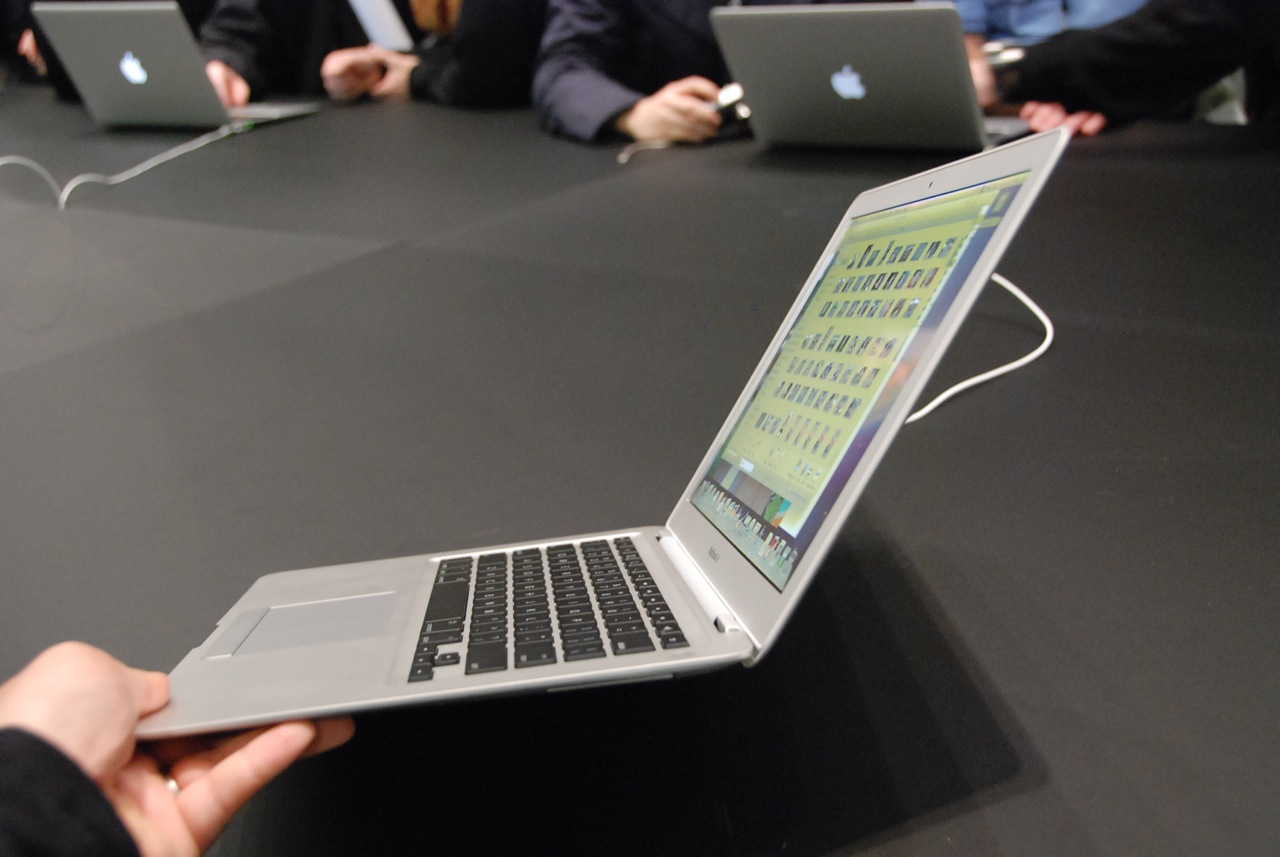
The MacBook Air runs all day on battery power.


Computing isn't something you need to wait for others to do on your behalf; computing is something you can personally use to save time, reduce risks, spend less mental energy on trivia, and do things which were not possible or feasible before computing power became cheap and ubiquitous.

Enough warm-up. Enjoy the series.

Exercise:
Each bullet point above describes a computing-enabled change in terms of its positive effects. What are the new challenges introduced by each change? 

Example: "On-demand entertainment means there's no pressure to schedule leisure time around TV broadcasting schedules, but it also means that there is less social bonding on the basis of new episodes of popular TV shows. This presents the challenge of bonding with acquaintances through other means."

Extra credit:
What's a repetitive part of your life you could automate away to save time? What are some things you would do or do more often if you could find a way to speed up smaller parts of getting these things done?

Monday, July 1, 2013

Gratitude the easy way

Gratitude is the key to both goodness and happiness. So often, though, we don't know what we've got until it's gone, or we take what we have for granted.

It's a trick in life to know what you've got when you have it. One way to get something and no you've got it? Get an "after body." You'll never take your physique for granted, you'll know the work it took to make it, and you'll never want to go back.